Build a Desk Setup Gift That Helps Every Day
Choose useful desk gifts by available work space, comfortable device access, cable routes, clamp fit and daily storage needs.
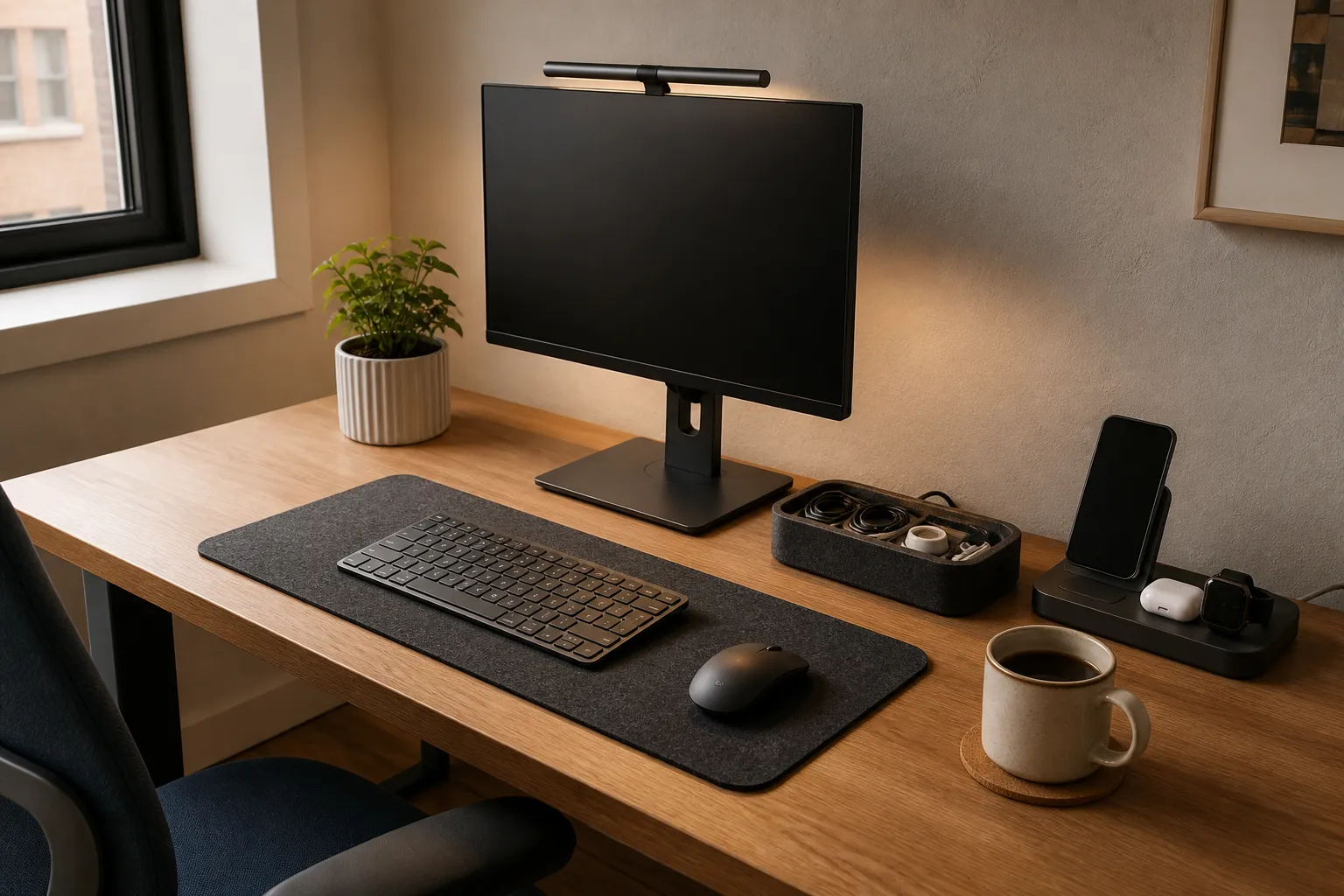
The most useful desk setup gift solves one repeated problem without taking over the workspace. Start with the recipient’s daily task, measure the space the gift would occupy, and check any device connections before choosing a product. A small cable accessory or adjustable light can make more sense than a large dock when the desk must also serve as a dining table.
Find the interruption, not the aesthetic
Ask what interrupts an ordinary session. A phone cable falls behind the desk. A notebook has nowhere to stay open. A person carries a laptop between rooms and reconnects several accessories each time. These observations point toward different gifts. “Their desk looks messy” is less helpful because the arrangement may be perfectly functional to its owner.
Describe the interruption as a short sequence: the person sits down, needs an object, then has to stop and retrieve or rearrange it. The missing step tells you what a gift could change. If they already have a solution they like, ask what is missing from it rather than assuming that a newer version is an improvement.
A gift can also preserve something that works. Someone may like the feel of their old keyboard while disliking the cable clutter around it. Cable routing supports that preference; an unsolicited keyboard replacement does not. If you are unsure whether a workspace gift is the right category at all, our guide to technology gifts that fit real routines starts with that broader decision.
Make a three-zone map of the desk
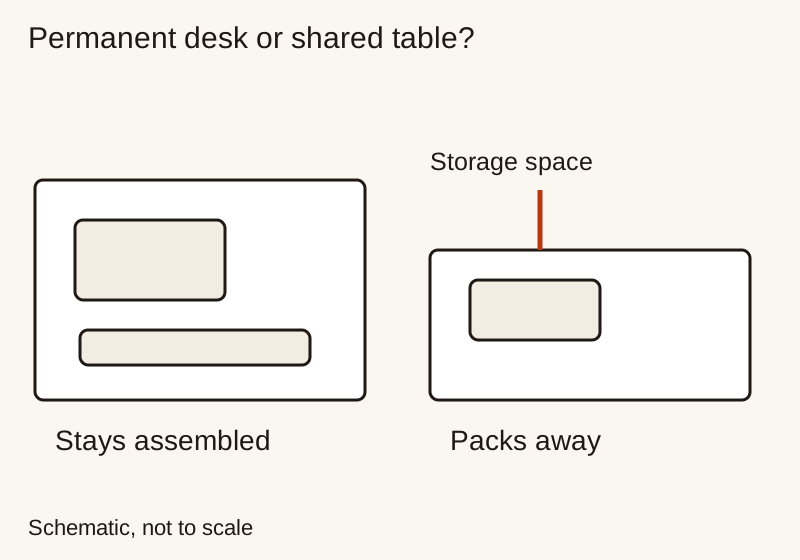
Sketch the work surface from above. Mark the area used by the keyboard, mouse, notebook and hands. Then mark the space occupied by screens, stands and anything that stays in place. Finally, mark where objects can go when work ends. Use the sketch to identify where space is already committed.
The important measurement is the space left during real use. An empty desk photograph hides the notebook spread, the cup the person normally uses and the room needed to move a mouse. Measure with those ordinary objects present. Include the distance a drawer needs to open and the clearance behind a device for its cables.
Check the proposed accessory’s entire footprint, not just its base. A lamp arm can swing beyond its stand. A laptop lid needs clearance behind it. A cable can protrude from the side of a hub into the mouse area. Draw the dimensions on paper and place that outline on the desk, with the recipient’s agreement, before committing to a bulky present.
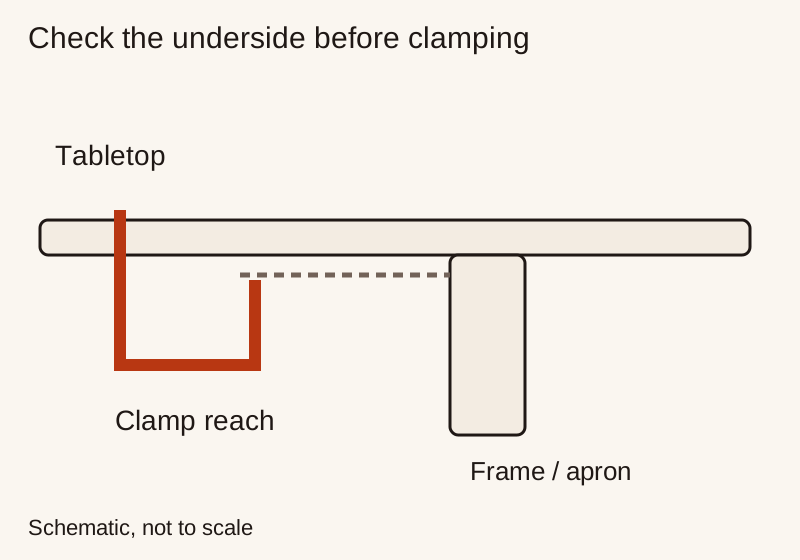
For clamps or mounts, inspect both sides of the attachment point. A rear lip, apron or drawer may prevent a clamp from seating even when the visible tabletop looks suitable. Verify the product’s supported surface thickness, material and load requirements in its instructions. Do not assume that a mount suitable for one desk is safe for another, especially when the surface construction is unknown.
Decide whether the setup stays out or packs away
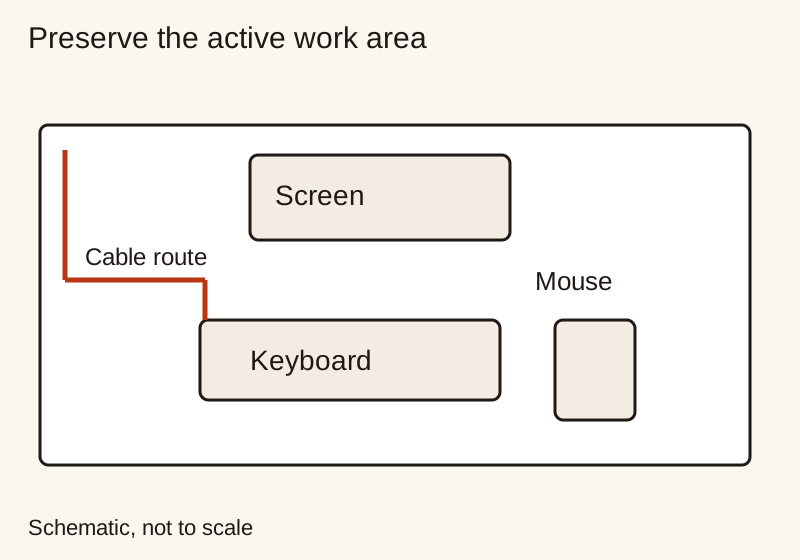
A dedicated office desk can support accessories that remain connected. A shared table needs a different kind of convenience: the setup should be quick to assemble, easy to move and simple to store. Neither is a better workspace. They just impose different requirements on the gift.
For a pack-away routine, compare folded size as well as working size. Find out where the object will be stored and whether it still fits with its cable attached. A folding stand that fits in a drawer may be useful; three small accessories with no common storage place may be harder to manage than one larger item.
For a permanent setup, think about access after installation. Can the person reach a lamp switch without leaning around a monitor? Can a cable be replaced without moving heavy equipment? Can the desk be cleaned without dismantling the gift? These practical questions often reveal more than the number of finishes or accessories in the product listing.
Choose a stand with the whole workstation in mind
If the gift is for a phone rather than a laptop, see the phone stand selection guide for case fit, orientation and screen-interaction checks.
A laptop stand changes the relationship between the screen and the built-in keyboard. Before buying one, ask whether the recipient already uses separate input devices, intends to type on the laptop itself, or mainly wants a place to hold a closed computer. Those are different use cases, and the same stand may not suit all three.
The Oregon OSHA computer-workstation checklist considers the screen, keyboard, pointing device and available space together. It asks about a screen at or below eye level, readable viewing distance, and a pointing device close to the keyboard. Use it to assess the arrangement as a whole.
In your shopping notes, record the device’s size and weight, the stand’s supported range, the available adjustment and the space required for any separate keyboard. Check that the stand follows the device maker’s ventilation guidance. Avoid promising a specific comfort outcome merely because a listing uses the word “ergonomic.” For persistent discomfort or an accessibility need, a recipient-led choice with appropriate professional advice is more suitable than a surprise accessory.
If the gift is intended for a closed-laptop display setup, verify the exact computer model. Apple’s dual-display instructions for M3 MacBook Air and MacBook Pro, for example, specify a closed lid, external input devices, power and relevant software requirements. That example applies to those models; it is not a rule for every Mac or Windows laptop. A stand or dock cannot establish display support that the computer itself lacks.
Match lighting to the actual task
Ask whether the person needs to illuminate paper, make controls easier to see, or change how they appear on calls. A task lamp, a monitor-mounted light and a camera light serve different purposes. Buying one because it looks good above a screen may leave the original problem unresolved.
Inspect the intended mounting point and the direction of light. A monitor-mounted accessory must fit the screen’s shape and thickness without obstructing a camera or controls. A desk lamp needs room for its base or clamp. Compare the adjustment range, the location of controls and the supplied power arrangement. Do not assume that a USB plug means the lamp can run from any spare computer port.
Think through an ordinary change in conditions. Can the recipient reduce brightness for an evening session? Can the lamp be repositioned when working on a notebook instead of a screen? If the person shares a room, can they direct the light toward their own task? Check those controls in the manual and try the intended setup during the return period.
Treat charging gifts as a complete connection
Write down what arrives at the desk: perhaps a phone, headphones and a laptop. Then decide which of those actually needs a new charging arrangement. A multi-device station may look orderly but be unnecessary if the person already has a charging habit elsewhere. Start with the device that creates the repeated inconvenience.
Check device compatibility, the required cable, the power source and the box contents separately. The USB-IF cable guidance explains that cable capabilities differ and that a cable does not add capabilities to connected products. Do not infer charging or data performance from a connector photo. A dock’s listed ports also need to be checked against the tasks the recipient expects those ports to support.
For several devices used at once, look for the manufacturer’s simultaneous-output information instead of relying only on a headline total. Include any necessary wall adapter in the cost comparison. If the real need is power away from the desk, our power bank gift guide is a better starting point than a fixed desktop station.
Keep personal input devices recipient-led
Keyboards, mice and trackpads involve daily habits that are difficult to infer from photographs. Ask about layout, operating-system shortcuts, preferred connection and whether a number pad is important. Also consider where the device will be used: an input device intended for a quiet shared room may face different expectations from one used alone.
Do not assume that a higher price, a smaller layout or a sculpted shape is an upgrade for this person. A compact keyboard can remove keys they use constantly. A wireless accessory can add a charging chore they do not want. If they have named an exact model, verify the regional layout and variant rather than substituting something that looks nearly identical.
When preferences are unknown, support the existing devices instead. A correctly sized desk surface accessory or a place to store a familiar headset may be less intrusive, provided the recipient wants it. Leave a practical exchange option for anything whose feel cannot be evaluated before giving. Personal fit is a valid reason to choose together.
Build one coherent gift, not a crowded bundle
For the shared-table recipient, test the idea on paper: working footprint, folded footprint, number of loose parts and storage location. For the permanent-desk recipient, check cable diameter, connector size, routing and whether the proposed attachment method suits the surface. Do not stick, drill or mount anything without permission; the recipient should control changes to their furniture.
Price the finished solution rather than the main object. A stand that requires a keyboard and mouse is a different gift from a stand for someone who already owns both. If the necessary extras push beyond the budget, return to the original problem instead of assembling an incomplete kit. Our gadget comparison framework shows how to separate required items from optional additions.
The final check before wrapping
Keep the exact model details, instructions and gift receipt together. Confirm that the return period will still be useful after the gift is opened. If installation requires a surface change or software access, leave that decision to the recipient. An offer to help set up the gift is different from taking over their workspace.
Your final explanation should be simple: “I chose this because it helps with the cable you keep retrieving,” or “This folds away with the laptop after work.” If the explanation depends mainly on how impressive the desk will look, revisit the brief. A useful desk gift earns its space by making a real task easier, while leaving the owner’s preferences intact.
Research and update note
Related Gift Buying Guides
Ergonomic Vertical Mouse Guide: Handshake Angle, Forearm Pronation, and Sizing
Choose a vertical mouse by hand size, handedness, button reach and connection needs. Understand the 57-degree shell angle, research findings and a gradual transition.
Read buying guide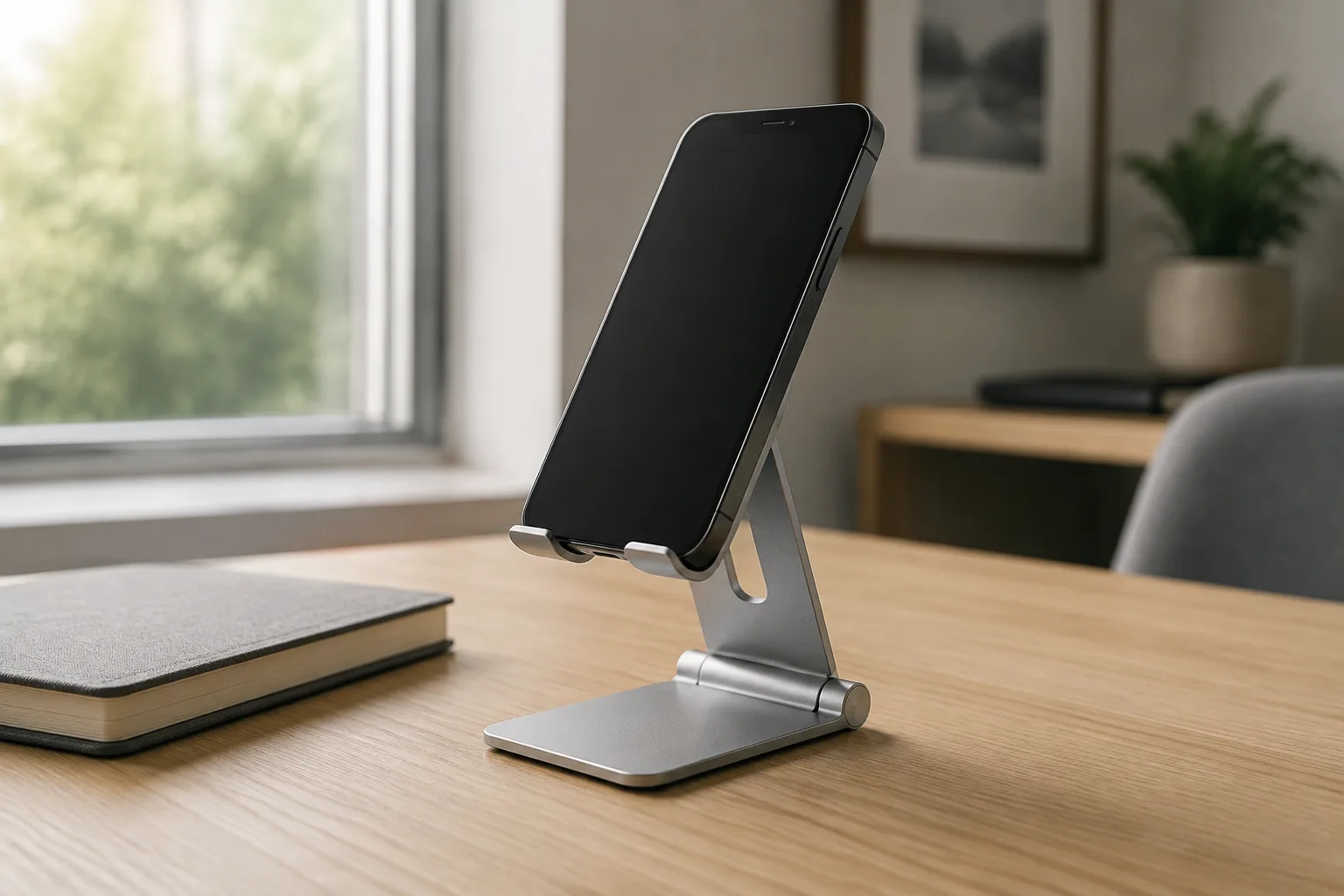
How to Choose a Phone Stand as a Useful Gift
Choose a desk phone stand by phone and case fit, viewing position, stability, cable access and storage space.
Read buying guide
Smart Home Gift Compatibility: Check Matter, Thread & Household Roles
Check a smart-home gift against the household platform, network, controller and accessory requirements, then plan account setup and everyday controls.
Read buying guide